Build Native Production Integrations in 3 Steps | Ampersand

Build native product integrations in 3 steps

Bi-directional and customer-configurable. Add enterprise-grade integrations to your SaaS this week.

Step 1

Declare

Define integration requirements that are

  • declarative, composable
  • version-controllable
  • extensible for deeper use cases
  • and fits in your CI/CD workflows

Define sync schedules, destinations, and backfills.

Terminal icon

your-app/amp.yaml

Edit
specVersion: 1.0.0
integrations:
  - name: mailmonkey-salesforce
    displayName: MailMonkey Salesforce Integration
    provider: salesforce
    read:
      objects:
        - objectName: contact
          destination: contactWebhook
          schedule: "*/30 * * * *" # every 30 minutes
          # Always read these fields
          requiredFields:
            - fieldName: firstName
            - fieldName: lastName
            - fieldName: email
          # Customer can decide if they want us to read these fields.
          optionalFields:
            - fieldName: salutation
        - objectName: leads
          destination: leadsWebhook
          schedule: "*/30 * * * *" # every 30 minutes
          requiredFields:
            - fieldName: firstName
            - fieldName: lastName
            - fieldName: email
            - fieldName: isConverted
            # Allow the customer to pick a field to map to priority score
            - mapToName: priority
              mapToDisplayName: Priority Score
              prompt: Which field do you use to track the priority of a lead?
          # All other fields in a Lead are optional,
          # Customers can pick from all of them.
          optionalFieldsAuto: all
      write:
        objects:
          # Create a new lead in Salesforce whenever we make an API request.
          - objectName: lead

Step 2

Embed

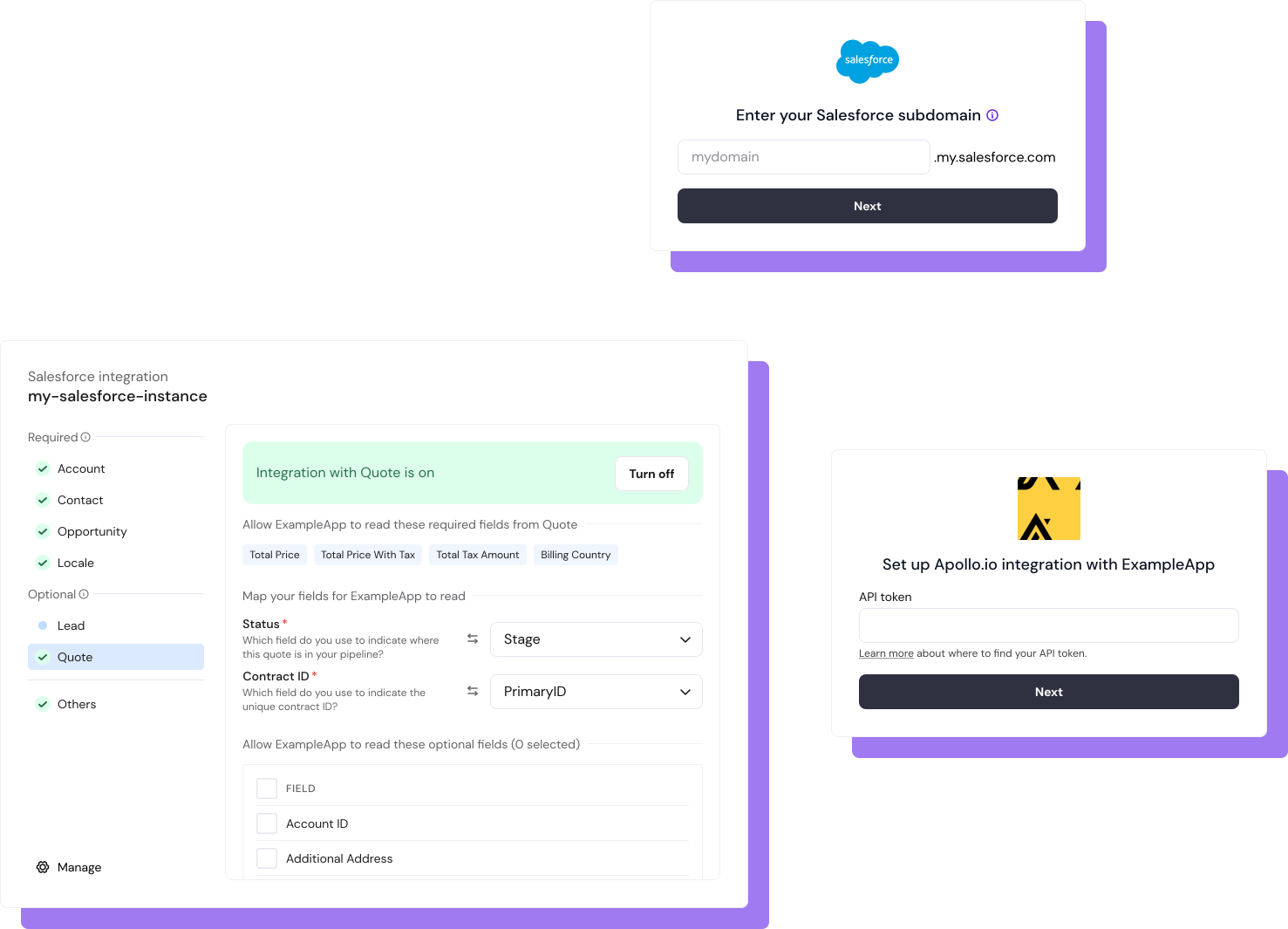
Use pre-built UI components or headless UI library to build custom flows for your users.

Take advantage of a wide range of supported API authentication types — including OAuth, API key auth, and basic auth.

UI library for field mappings lets you build a granular configuration experience for your users.

embed image

Step 3

Deploy and Sync

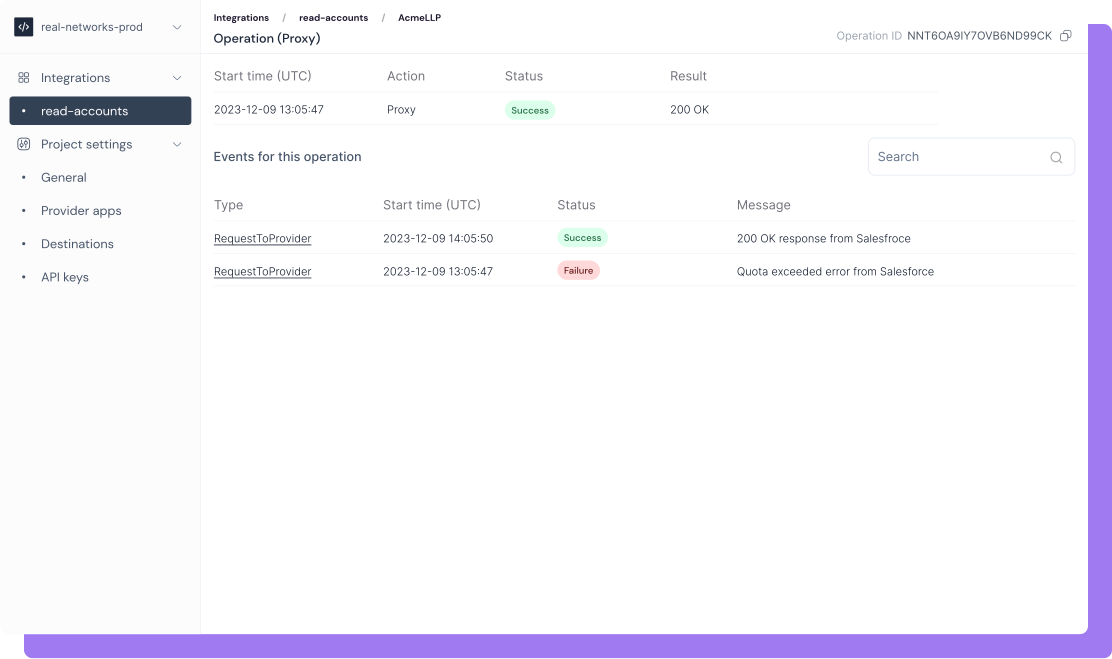
Deploy integrations via Ampersand CLI, start reading and writing from your customers’ SaaS.

Sit back and relax — we maintain the sync infrastructure and take care of API idiosyncrasies, rate limits, error handling, retries, etc.

See detailed logs and event drill-downs.

deploy image

Configuration, not custom scripting

Avoid writing one-off custom code for your customer's complexity by managing it in configuration. Deep integrations that are declarative, composable, and scalable.

Without Ampersand

With Ampersand

Ampersand Demo — Read and Write from Salesforce CRM

elipse illustration

A new take on native product integrations