 Back to articles

7 Best ERP Integration Tools & Platforms (2026): iPaaS, Embedded iPaaS, Unified APIs, and ETL
A 2026 comparison of deep ERP integration infrastructure, embedded iPaaS, unified APIs, and ETL tools for custom objects and bi-directional sync

Chris Lopez
Founding GTM
7 Best ERP Integration Tools & Platforms (2026): iPaaS, Embedded iPaaS, Unified APIs, and ETL
TL;DR
The difference between ERP integration platforms comes down to depth, which determines how much of a customer’s ERP system a platform can read, write, and keep in sync. If your product needs to operate inside customer ERP environments, you need support for field-level mapping, bi-directional writes, real-time sync, and tenant-specific custom objects.
This guide reviews the leading ERP integration platforms in 2026 and groups them by integration approach.
1. Ampersand: Best for deep, customer-configurable ERP integrations with custom objects and bi-directional sync.
2. Workato: Best for internal ERP workflow automation using a no-code recipe builder.
3. Prismatic: Best for embedded iPaaS when a low-code integration marketplace is the priority.
4. Merge: Best for breadth of accounting and HRIS integrations through a single unified API.
5. Fivetran: Best for loading ERP data into cloud warehouses for analytics and reporting.
6. HotGlue: Best for Python-controlled ERP data ingestion with an embeddable white-label UI.
7. Paragon: Best for low-code customer-facing integrations with visual workflow orchestration.
ERP connectivity into tools like NetSuite is now a basic requirement for B2B SaaS companies selling to mid-market and enterprise customers. Buyers expect ERP data to stay in sync inside the product they are purchasing, and deals often slow down when integrations are shallow or unreliable. Because most ERP setups are heavily customized with tenant-specific fields and objects, the platform you choose determines whether integrations can be built quickly or take months.
What Is an ERP Integration Tool
An ERP integration tool connects enterprise resource planning systems with other business applications. It manages authentication, field mapping, data transformation, and data synchronization, allowing engineering teams to integrate with ERP systems without building and maintaining individual point-to-point connections.
Classic examples of industry-leading ERPs are NetSuite, Campfire, SAP, and Microsoft Dynamics.
The need for an ERP integration tool becomes clear as customer ERP environments grow more complex. A product syncing a small set of standard ERP fields can often rely on a custom connector. As the customer base grows to dozens of enterprise accounts, each with custom fields, custom objects, tenant-specific logic, and different ERP vendors, manual integrations no longer scale. At that stage, maintaining ERP integrations begins to consume engineering time that would otherwise be spent on core product development.
Types of ERP Integration Platforms
ERP integration platforms are designed for a range of use cases, from internal automation to deeply embedded, customer-facing integrations.
Deep Integration Infrastructure
Deep integration platforms use code-first declarative frameworks that mirror native API capabilities, providing full access to custom objects, custom fields, and bi-directional sync while remaining customer-configurable through embeddable UI components. Ampersand pioneered this category with a declarative YAML configuration approach that gives developers Terraform-like granular control over ERP integrations.
iPaaS (Integration Platform as a Service)
iPaaS platforms focus on automating workflows between internal business systems. They are typically used by operations or IT teams to connect tools within their own software stack. While they work well for internal automation, they are not designed for customer-facing ERP integrations that require deep access to tenant-specific data models or embedded configuration inside a SaaS product.
Embedded iPaaS
Embedded iPaaS platforms provide low-code workflow builders that live inside SaaS products and are exposed to end customers. They support configurable workflows through visual builders and integration marketplaces. These platforms work best when ERP integrations follow predefined patterns and do not require deep customization for each customer’s ERP schema.
Unified API
Unified API platforms provide a single interface across a category of software by normalizing data into a common schema. This approach prioritizes coverage across multiple providers rather than deep access to a single system. For ERP use cases that require write-back, custom objects, or vendor-specific fields, unified APIs often lack the flexibility needed for bi-directional and tenant-aware workflows.
ETL and ELT platforms
ETL and ELT platforms extract data from ERP systems and load it into data warehouses for analytics. They are designed for one-way data movement and perform well for reporting and analysis. Because they do not support writing data back to ERP systems, they are not suitable for transactional or real-time, bidirectional integrations.
Not all platform types are well-suited to customer-facing ERP integrations that require deep access, configurability, and ongoing synchronization. Picking the right category early makes it easier to ship reliable ERP integrations at scale.
The 7 Best ERP Integration Tools in 2026
1. Ampersand
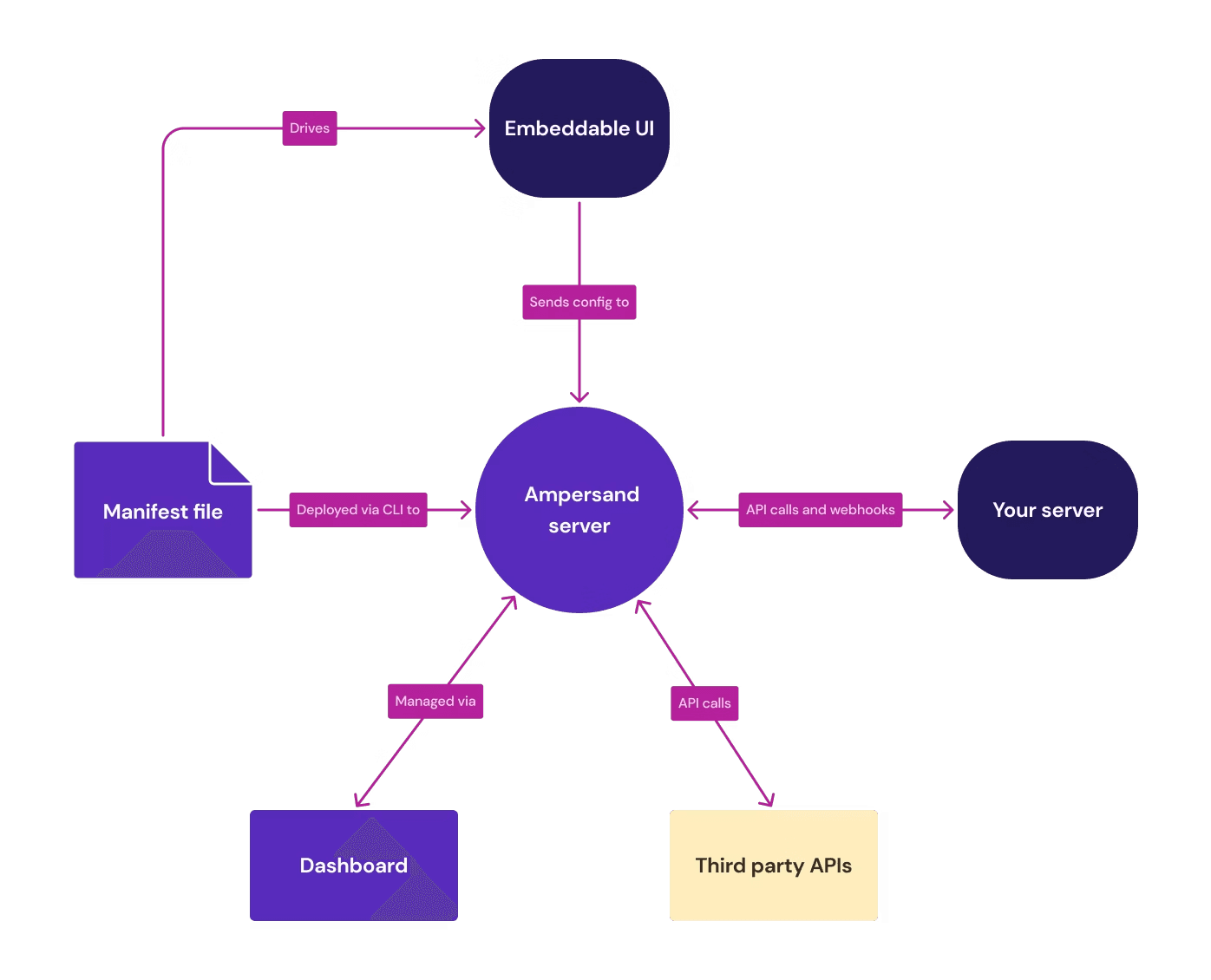
Ampersand handles deep integration with customer ERP systems that don't fit standard patterns. Enterprise ERPs are heavily customized with tenant-specific fields, custom objects, and vendor-specific rules that vary across customers. Rather than forcing this data into a rigid schema, Ampersand adapts to each environment.
Teams configure what syncs via a declarative file rather than writing custom code per customer. Ampersand reads each customer's ERP schema, applies the mappings, and manages read/write operations. When customers need different objects and field mappings, update the configuration, not the codebase.
Ampersand integrates into existing workflows through version control and CI/CD. The open-source connector library covers common ERP-adjacent systems, and teams can extend or contribute connectors when needed. This approach scales integration coverage without increasing the number of customer-specific code paths.
Best For
Engineering teams building customer-facing ERP integrations that require per-tenant custom object and field access, bi-directional sync, and real-time data delivery for AI-powered SaaS products.
Pros
- Tenant-specific schema adaptation: Ampersand automatically reads and adapts to each customer's unique ERP configuration without requiring schema standardization across tenants.
- Configuration over code: Integration logic resides in declarative configuration files rather than custom code, reducing the engineering effort required to onboard new customers with different ERP configurations.
- Multi-tenant scalability: The platform manages different field mappings, custom objects, and vendor rules across customers from a single codebase, rather than maintaining separate integration branches.
- Reduced maintenance overhead: Changes to customer ERP schemas are managed via configuration updates rather than code deployments, minimizing ongoing engineering effort.
- Version control integration: Configuration files can be tracked in git, enabling standard code review processes, rollback capabilities, and audit trails for integration changes.
- CI/CD compatibility: Integration configurations can be tested and deployed through existing continuous integration pipelines, treating infrastructure as code.
- Open-source connector library: Pre-built connectors for common ERP and adjacent systems reduce time to initial integration and provide reference implementations.
- Extensible architecture: Teams can build custom connectors for niche or proprietary systems while maintaining consistency with the core platform approach.
- Standardized read/write operations: Ampersand abstracts the complexity of different ERP APIs, providing consistent methods for data operations across diverse systems.
- Custom object support: Ampersand handles customer-defined objects and tables that don't exist in standard ERP schemas, accommodating deep customizations.
- Vendor-agnostic design: Works across different ERP vendors and versions, reducing lock-in to specific integration patterns or third-party middleware.
- Debugging and visibility: Centralized ERP operations handling provides clearer visibility into synchronization processes than distributed custom integration code.
- Error handling consistency: Standardized retry logic, rate limiting, and error management across all customer integrations instead of implementing these patterns repeatedly.
- Direct NetSuite integration: Connect directly to your customers’ NetSuite using the Ampersand pre-built connector.
- Accounting system support: Native integrations with Xero, Quickbooks, and Sage Intacct.
Cons
- Requires engineering involvement to define integration behavior.
- Best suited for products that need deep and bi-directional ERP integration rather than simple sync.
Pricing: Start for free with 2 GB, then scale with usage-based pricing starting at $999/month. See current pricing.
2. Workato
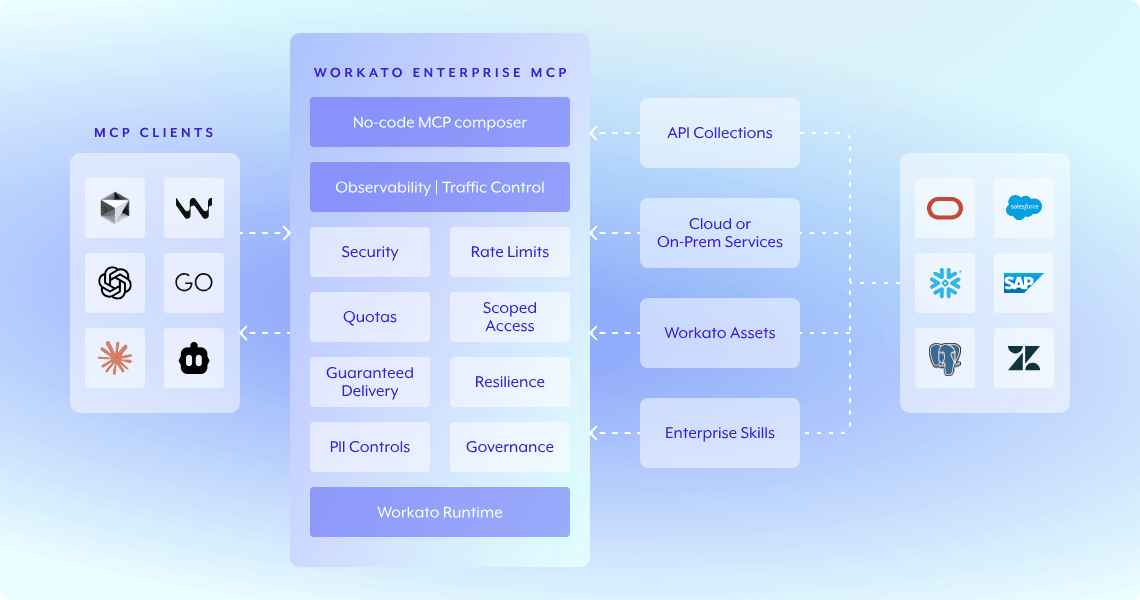
Workato is an enterprise iPaaS designed for building workflows between ERP systems using a recipe-based automation model. It supports internal ERP automation and offers an embedded option to expose ERP workflows within customer-facing products.
Best For: Operations and IT teams automating internal ERP workflows like order-to-cash and ERP-to-HRIS sync without writing code.
ERP Use Cases: Internal ERP process automation, multi-system workflow orchestration, ERP data sync across departments.
Pros
- 1,200+ connectors covering ERP, CRM, HRIS, and cloud databases.
- Recipe marketplace with 400,000+ community-shared workflow templates.
- AI-powered field mapping suggestions and anomaly detection for monitoring.
- Supports both on-prem and cloud ERP connections.
Cons
- Task-based pricing becomes expensive and hard to predict at scale.
- Built for internal automation workflows, the embedded product requires workarounds for true customer-facing ERP integrations.
Pricing: Undisclosed custom pricing.
3. Prismatic
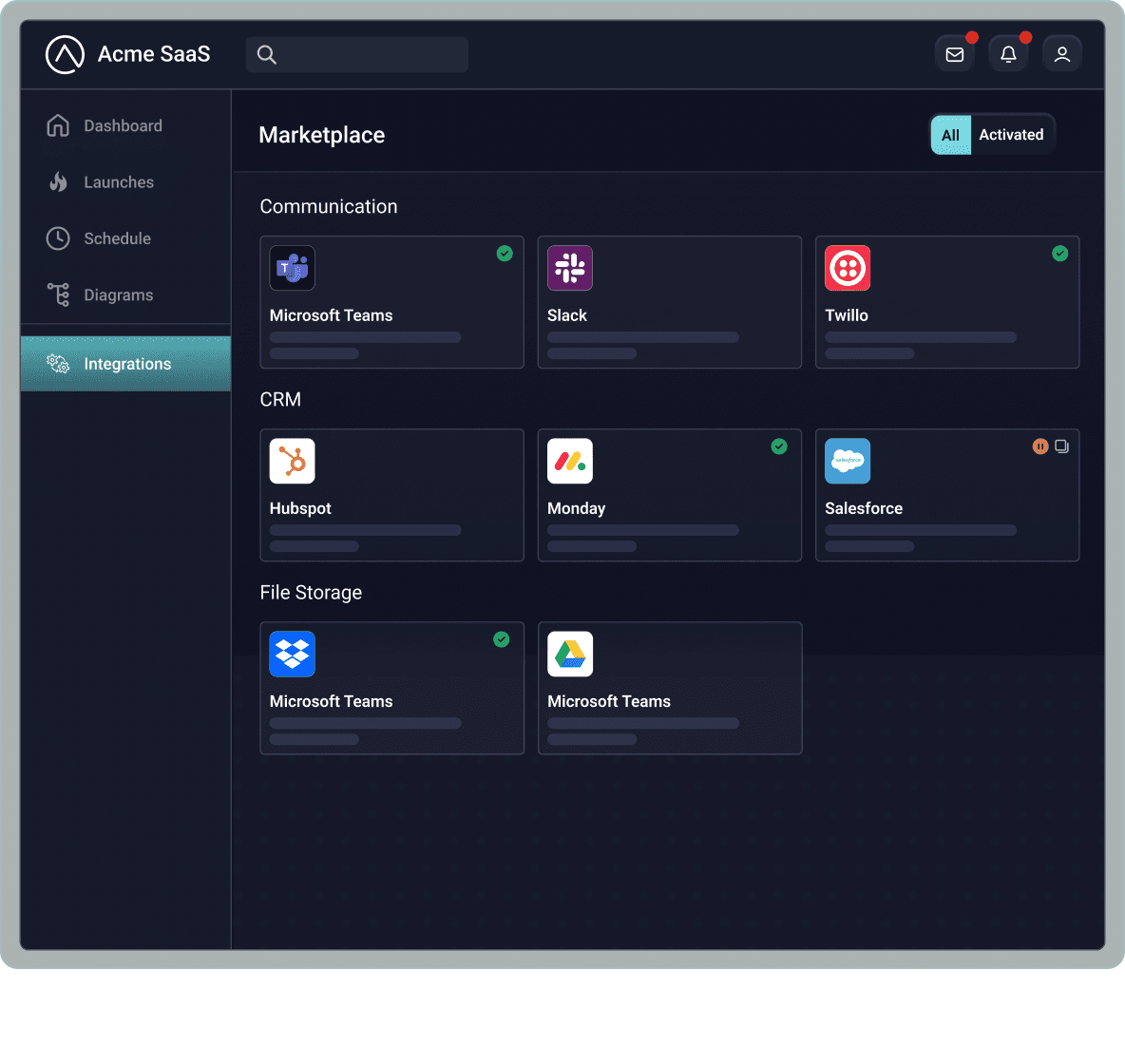
Prismatic is an embedded iPaaS for B2B SaaS companies, combining a low-code integration designer with TypeScript-based custom component development. Prismatic includes customer-specific configurations and monitoring tools for ERP deployments.
Best For: B2B SaaS teams that want to offer customer-facing ERP connectors through an integration marketplace with both low-code and code-native options.
ERP Use Cases: Customer-facing ERP connector deployment, CRM-to-ERP record sync, integration marketplace for enterprise customers.
Pros
- TypeScript custom components for logic that exceeds the low-code builder's capabilities.
- Integration marketplace with customer-specific deployment and monitoring.
- White-label UI and managed authentication across integrations.
- A dedicated account manager is included with all plans.
Cons
- No public pricing, which makes budgeting difficult before engaging sales.
- The code-native features feel disconnected from the low-code builder; workflows built in the visual editor cannot be maintained in code, and vice versa.
Pricing: Three tiers (Scale, Enterprise, Custom) with undisclosed pricing.
4. Merge
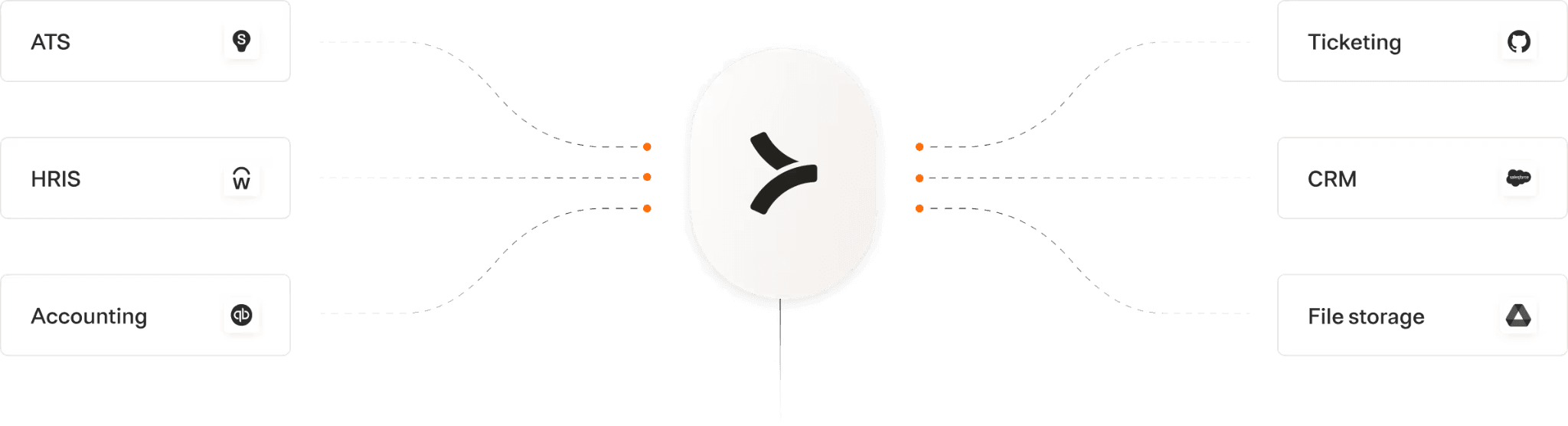
Merge is a unified API platform that normalizes data models across 60+ ERP and accounting integrations. You build to one API and access multiple ERP providers through standardized endpoints.
Best For: SaaS companies that need broad accounting and HRIS integration coverage quickly, with ERP data access as part of a larger integration strategy.
ERP Use Cases: Normalized accounting data access across QuickBooks, Xero, and NetSuite; read-heavy ERP data retrieval for analytics.
Pros
- 220+ integrations across six software categories through a single API build.
- Strong observability features, including automated issue detection and searchable logs.
- SOC 2 Type II, ISO 27001, HIPAA, and GDPR compliant.
- Go-to-market support for launching integrations, including pricing and marketing guidance.
Cons
- The common data model sacrifices depth for breadth; vendor-specific custom fields and objects may not map to the unified schema.
- Limited write-back capabilities to ERP systems, which restricts bi-directional sync workflows.
Pricing: Free for 3 production-linked accounts with basic features. Launch plan starts at $650 per month and includes 10 production-linked accounts. Additional Linked accounts cost $65 per month.
5. Fivetran
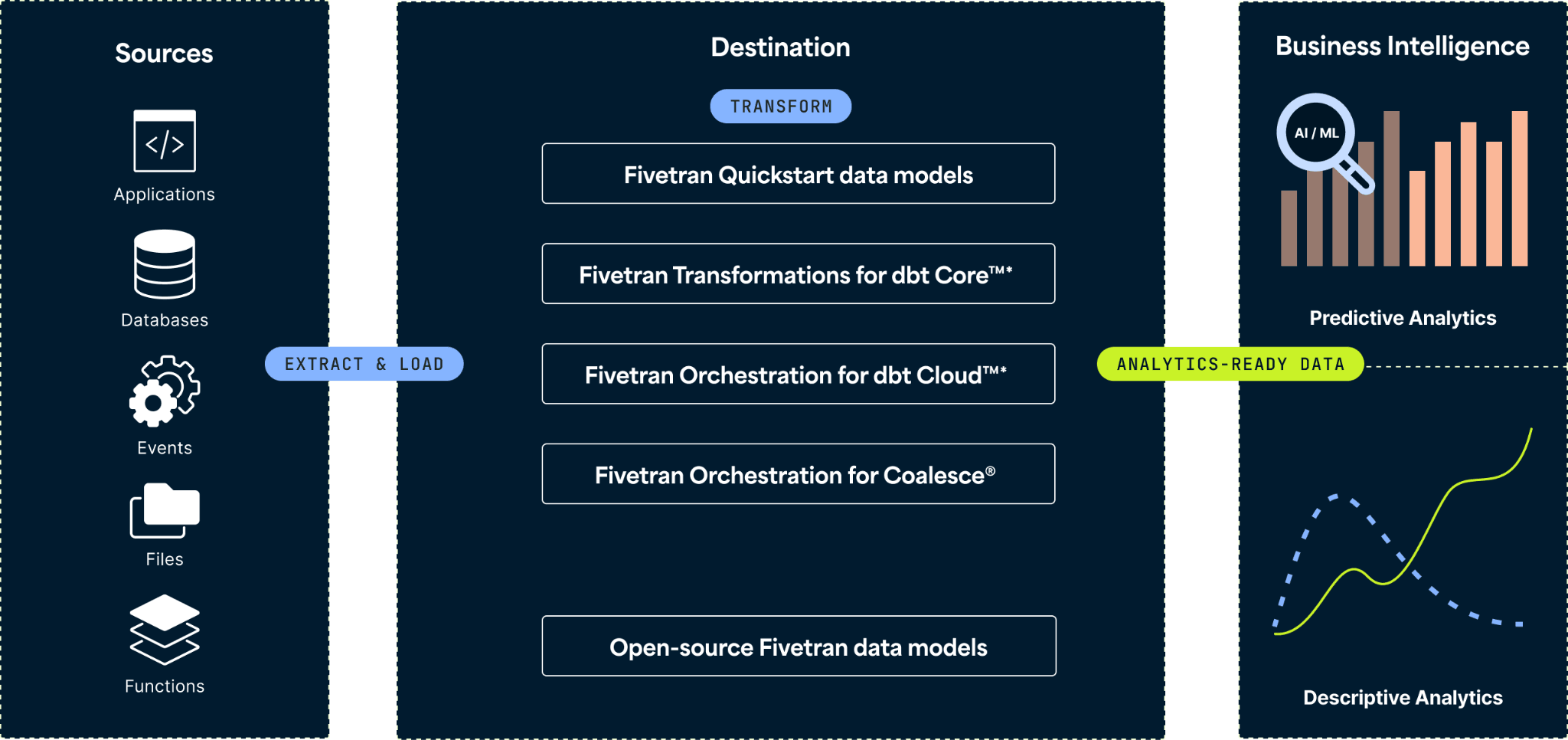
Fivetran is an automated ETL/ELT platform with pre-built ERP and financial system connectors that extract data from source systems and load it into cloud warehouses. Fivetran handles schema drift detection, automatic updates, and data normalization for analytics use cases.
Best For: Data and analytics teams that need to load ERP data into Snowflake, BigQuery, or Redshift for reporting and business intelligence.
ERP Use Cases: ERP-to-warehouse pipelines for financial reporting, NetSuite/SAP data centralization for analytics dashboards.
Pros
- 700+ connectors with automatic schema drift handling.
- Five-minute setup for most connectors, minimal ongoing maintenance.
- Strong reliability for common data sources like Salesforce, HubSpot, and NetSuite.
Cons
- One-directional only. Fivetran extracts and loads data but does not write back to ERP systems, ruling it out for transactional sync workflows.
- Per-connector pricing increases costs for teams with multiple connectors.
Pricing: Free tier with 500K MAR. Paid plans with undisclosed pricing.
6. HotGlue
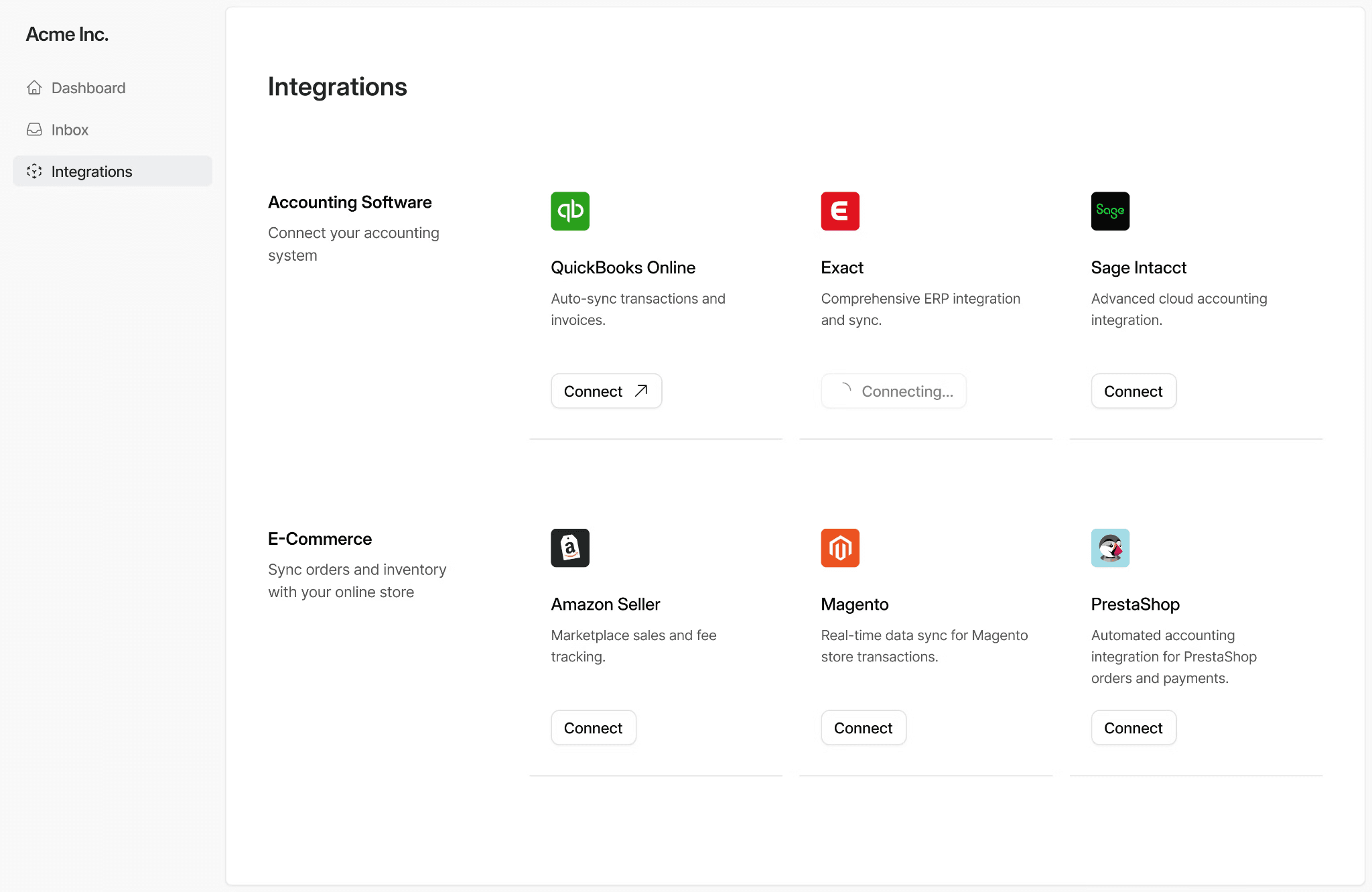
HotGlue is an embedded ETL platform that uses open-source connectors (Singer and Airbyte spec) and a Python-based transformation layer. HotGlue lets customers authenticate and configure data imports from ERP and accounting systems.
Best For: Developer teams that want Python-level control over ERP data transformation with a white-label, embeddable integration UI.
ERP Use Cases: Customer-facing data ingestion from NetSuite and QuickBooks, accounting data sync, bulk ERP data imports with custom transformation logic.
Pros
- 600+ open-source connectors, with the ability to create custom connectors using Python SDK or a no-code builder.
- Python transformation layer (JupyterLab-powered) for complex data manipulation before it reaches your backend.
- White-label embeddable widget and React library for customer-facing integration setup.
- Stateful integrations that maintain full data snapshots for cross-system correlation.
Cons
- Primarily extract-focused; write-back to ERP systems is limited compared to bi-directional platforms.
- Smaller team and ecosystem than others on the list, with the dashboard and SDK customization still maturing.
Pricing: Custom pricing based on the number of active tenants.
7. Paragon
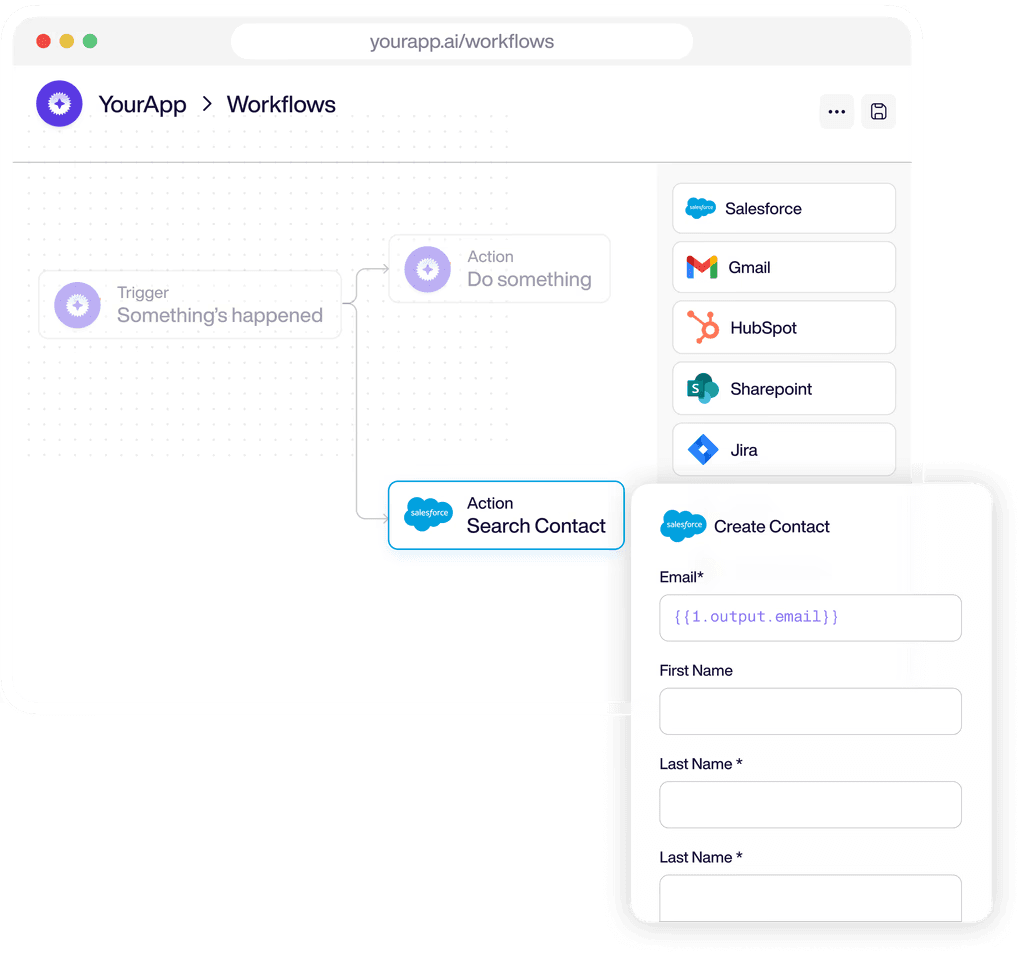
Paragon is an embedded integration platform with a visual workflow builder, managed authentication, and a Connect Portal for customer self-service. Paragon supports low-code ERP integration development alongside a TypeScript-based custom connector framework.
Best For: SaaS product teams that prefer low-code workflow orchestration for customer-facing integrations, with managed auth and a white-label setup experience.
ERP Use Cases: Customer-facing integration marketplace, pre-built ERP sync workflows, managed authentication for multi-provider ERP environments.
Pros
- Connect Portal provides a white-label, native integration setup experience for end users.
- Visual workflow builder with pre-built actions for common ERP operations.
- Managed authentication with automatic token refresh across all connected providers.
- Supports both cloud and self-hosted deployment options.
Cons
- Limited flexibility when integrations require extensive custom objects or tenant-specific schemas
- Deep bi-directional ERP sync requires additional engineering outside the platform
Pricing: A custom pricing model based on the number of "Connected Users" (tenant accounts).
Comparison Table: Best ERP Integration Tools 2026
| Tool | Category | Starting Price | Best For | Notable ERP Features |
|---|---|---|---|---|
| Ampersand | Deep Integration Infrastructure | Free (2 GB) | Customer-facing bi-directional ERP sync | Declarative YAML, open-source connectors, per-tenant custom fields, usage-based pricing |
| Workato | iPaaS | Undisclosed custom pricing | Internal ERP workflow automation | 1,200+ connectors, recipe marketplace, AI mapping |
| Prismatic | Embedded iPaaS | Undisclosed pricing (Scale, Enterprise, Custom tiers) | Integration marketplace for B2B SaaS | TypeScript components, white-label, customer-specific config |
| Merge | Unified API | Free for 3 accounts; $650/mo (Launch plan) | Breadth of accounting/HRIS integrations | 220+ integrations, unified data models, observability |
| Fivetran | ETL/ELT | Free (500K MAR); paid plans with undisclosed pricing | ERP-to-warehouse analytics pipelines | 700+ connectors, schema drift handling, auto updates |
| HotGlue | Embedded ETL | Custom pricing based on active tenants | Python-controlled ERP data ingestion | Open-source connectors, Python transforms, white-label |
| Paragon | Embedded iPaaS, Visual Workflow, and No-Code Native | Custom pricing based on Connected Users | Low-code customer-facing integrations | Connect Portal, visual builder, managed auth |
Ready to build deep, bi-directional ERP integrations? Start free with Ampersand today →
Why Ampersand Is the Best Deep ERP Integration Platform
Most ERP integration approaches prioritize either speed or deep access, but rarely both. Unified APIs connect quickly but cannot access custom fields or custom objects. Building custom ERP integrations provides full schema access but requires significant engineering work for authentication, schema discovery, field mapping, and ongoing maintenance. Most platforms force teams to choose between deep ERP access and development speed.
Ampersand removes most custom integration code by handling schema discovery and sync orchestration at the platform level. Teams define what should sync using configuration. Ampersand discovers each customer’s ERP schema, applies the mappings, and runs the read and write operations. When customers require additional fields or objects, teams update the configuration rather than shipping new code.
Ampersand also provides an embeddable configuration UI that lets customers manage their own field mappings within the product. Customers see their actual ERP fields, choose what syncs, and control direction per field. The same interface works across different ERP setups without custom logic per tenant. Teams use Ampersand to support full ERP schemas while avoiding long-term maintenance of customer-specific integration code. Get started with Ampersand for free and start building deep ERP integrations.
How We Chose the Best ERP Integration Tools
We looked beyond basic connectors to identify platforms capable of handling the real complexity of ERP integrations for customer-facing products.
Schema access depth: The platform should automatically discover each customer’s ERP schema, including custom fields and custom objects. ERP schemas evolve over time, and integrations must remain in sync without manual updates.
Custom object and field support: The platform must support reading and writing customer-defined objects and fields, not just standard ERP entities. Supporting only standard records is insufficient for real-world ERP use cases.
Bi-directional sync capabilities: Many ERP workflows require data to flow both into and out of the ERP system. Platforms limited to one-directional sync often fail to maintain system consistency.
Per-tenant configuration: ERP integrations often require customer-specific mappings and rules. Platforms that support declarative configuration or embedded configuration interfaces scale better than approaches that require custom code per customer.
Native schema versus normalized models: Some platforms normalize ERP data into a common schema to simplify development. This approach can limit access to vendor-specific features, custom fields, and custom objects. Exposing native ERP schemas provides more flexibility for complex integrations.
Operational reliability: ERP integrations must handle authentication, rate limits, retries, partial failures, and schema changes at scale. These concerns should be managed by the platform rather than pushed onto product teams.
Fit for product engineering workflows: Customer-facing ERP integrations must be tested, version-controlled, and deployed securely. Platforms that integrate with version control and CI CD fit better into standard product development workflows.
FAQs: Deep ERP Integration Tools
What is an ERP integration tool?
An ERP integration tool connects ERP systems with other business applications, enabling reliable data movement between them. These tools handle authentication, schema discovery, field mapping, and data synchronization, preventing product teams from maintaining fragile custom ERP connectors. Ampersand approaches ERP integration through a declarative framework, where engineers define sync behavior in configuration, and the platform manages execution across customer environments.
How quickly can I deploy an ERP integration?
Deployment speed depends on the extent of ERP customization required. Hand-built ERP integrations often take months due to custom fields, custom objects, and tenant-specific schemas. Platforms that rely on normalized schemas can deploy faster, but usually limit write-back and customization. With Ampersand, teams define ERP integration behavior in configuration rather than building infrastructure, which reduces the time required to ship and iterate on production ERP integrations. Some teams have shipped a deep, customer-facing integration in under a week.
Which is the best ERP integration tool?
The best ERP integration tool depends on how ERP data is used inside the product. For customer-facing SaaS products that require bi-directional sync, custom objects, and per-tenant configuration, Ampersand is the best fit as it provides deep ERP access without requiring teams to build and maintain custom integration infrastructure.
Is Ampersand better than Workato for ERP integrations?
Ampersand and Workato are designed for different use cases. Workato focuses on internal workflow automation across business systems using a no-code approach. Ampersand is built for customer-facing ERP integrations embedded inside SaaS products, where each customer has a different ERP schema and configuration needs. When integrations must support per-tenant customization and bi-directional sync, Ampersand aligns more closely with product requirements.
What are the best alternatives to Merge for ERP integration?
Merge focuses on normalized access across software categories, which works well for read-heavy use cases. When ERP integrations require write-back, custom fields, and tenant-specific configuration, Ampersand is the only choice. Its declarative framework supports full ERP schemas and bi-directional sync, with pricing based on usage rather than connected accounts.