 Back to articles

Best Ticketing Integration Platforms in 2026
Compare the best ticketing integration platforms for Zendesk, ServiceNow, Jira, Intercom, and Freshdesk across real-time sync, AI agents, and field mapping

Chris Lopez
Founding GTM
Best Ticketing Integration Platforms in 2026
TL;DR
The best ticketing integration platform depends on how your product needs to connect with customer ticketing systems across Zendesk, ServiceNow, Intercom, Jira, Freshdesk, and related tools. This guide compares the top options across vendor depth, real-time delivery, field mapping, ticketing breadth, AI agent support, code-first workflows, and credential ownership.
Best overall for deep, real-time ticketing integrations: Ampersand
Best for broad common-schema ticketing coverage: Merge
Best for visual workflow-led integrations: Paragon
Best for hybrid low-code and developer-owned integrations: Prismatic
Best for lightweight ticketing coverage inside a broader unified API: Apideck
Ampersand is the strongest fit for B2B SaaS teams that need customer-facing ticketing integrations with custom-field access, per-customer mapping, sub-second event delivery, and schema-aware AI agent tool calling.
Why customer-facing ticketing integrations are different
Customer-facing ticketing integrations have higher infrastructure requirements than internal automations. When your product offers Zendesk, ServiceNow, Intercom, Jira, or Freshdesk integrations, each customer connects a separate ticketing instance with its own authentication, schema, workflows, custom fields, and event patterns. The integration layer must support that variation across customer accounts while keeping ticket data up to date within your product.
Real-time event delivery: AI support copilots, live dashboards, and contact-center sync features depend on ticket updates being delivered to your product quickly. A newly created ticket, an updated status, or an added comment often needs to trigger a product action within the same user workflow. These workflows require webhook-based delivery from the underlying ticketing system, because polling intervals measured in minutes can lead to stale data and broken handoffs.
Custom-field and custom-object depth: Ticketing systems rarely rely solely on standard fields. Zendesk customers configure custom ticket fields, ticket forms, and macros. ServiceNow customers use CMDB tables, custom tables, and complex object relationships. Jira customers configure custom issue types, workflows, and field schemes. A shallow common schema can cover basic ticket sync, but deeper product integrations need access to the vendor-specific structures customers already use.
Per-customer field mapping: Each customer models ticket data differently. One Zendesk customer may use Priority_Level, another may use priority_score, and another may rely on the standard priority field with different allowed values. The ticketing integration platform needs embedded configuration that lets each customer map fields to your product’s data model without creating custom engineering work for every account.
AI agent compatibility: LLM-powered products need ticket data to be included in the model’s response loop. AI agents also need schema-aware tools that reflect each customer’s actual ticket fields, write permissions, and workflow rules. MCP support, function-calling primitives, and low-latency read/write APIs help AI agents work with ticketing systems safely, especially in support copilots and customer service agents.
How we evaluated the best ticketing integration platforms
Use the criteria below to compare how each platform handles customer-facing ticketing integrations across production sync, customer configuration, AI workflows, and engineering ownership.
Depth of coverage per ticketing vendor: Coverage should extend past standard and custom fields, custom objects, attachments, audit history, and vendor-specific structures such as Zendesk macros, ServiceNow CMDB tables, and Jira custom issue types.
Real-time event delivery: Ticket events need to reach your product fast enough to power AI support copilots, live dashboards, and contact-center sync workflows. Webhook-based delivery is better suited to these use cases because polling intervals of minutes or hours can leave products working with stale ticket data.
Customer-configurable field mapping: Each customer should be able to map their own ticketing fields to your product’s data model via an embedded configuration experience, without requiring custom engineering for every account.
Breadth of ticketing vendors covered: The platform should cover the ticketing systems your customers actually use, including Zendesk, ServiceNow, Intercom, Jira, Jira Service Management, Freshdesk, Front, Help Scout, Linear, and other support or issue-tracking tools.
AI agent compatibility: Look for MCP, function-calling primitives, and schema-aware tool definitions that reflect each customer’s ticketing configuration.
Code-first infrastructure: Engineering teams should be able to manage integration configuration in source control, review changes via pull requests, deploy via CI/CD, and work cleanly with AI coding tools.
5 best ticketing integration platforms in 2026
1. Ampersand
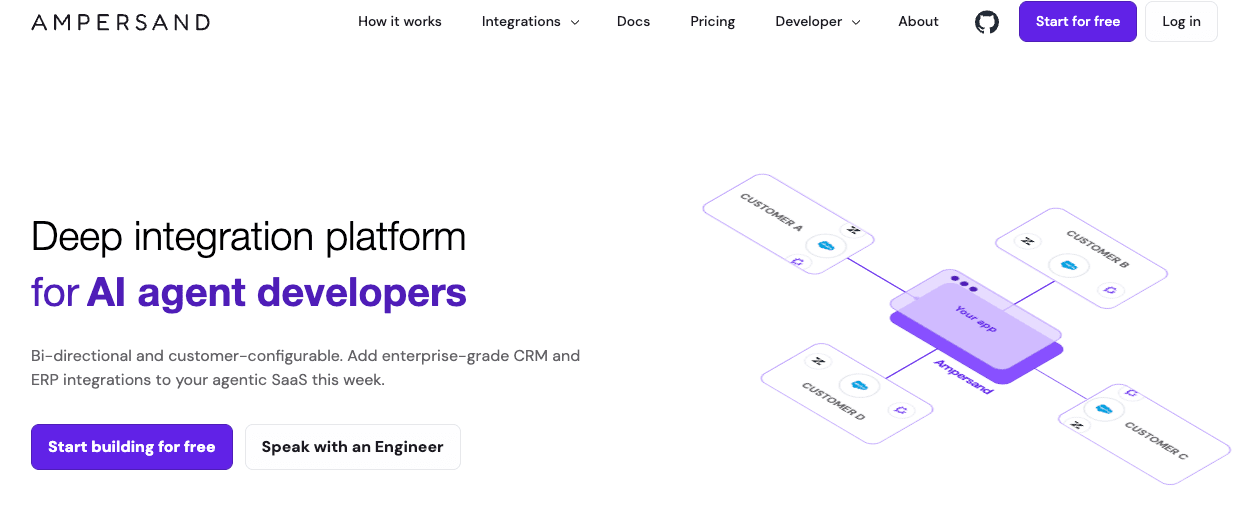
Ampersand is a code-first integration platform for B2B SaaS companies building customer-facing ticketing integrations with Zendesk, ServiceNow, Intercom, Jira, Freshdesk, and its 200+ open-source connectors. Ampersand is the best overall pick for SaaS products that need ticketing integrations to work inside the product experience, where each customer connects a separate ticketing system with its own schema, permissions, and workflow requirements.
Native depth across major ticketing vendors
Ampersand reads and writes standard and custom fields on Zendesk tickets, including custom ticket forms, macros, and audit fields. ServiceNow coverage extends beyond the Incident, Problem, and Change objects to include CMDB and custom tables. Jira coverage includes custom issue types and custom field schemes, while Intercom and Freshdesk follow the same vendor-native pattern. Engineering teams can build against each customer’s actual ticketing schema without flattening important customer-specific structures into a generic ticket model.
Sub-second event delivery for AI agents and live dashboards
Subscribe Actions deliver ticket events in under a second through event-driven architectures backed by each ticketing vendor’s webhook or change-event API. AI support copilots can read a newly created ticket, generate a draft response, and write back a suggestion inside the same interaction. Live dashboards can reflect changes in ticket status as support teams update records across channels. Ampersand applies the event-driven model behind 11x’s CRM workflow, where AI phone agent response time dropped from 60 seconds to 5 seconds, to ticketing workloads with the same real-time requirements.
Per-customer field mapping through embeddable React components
Each customer brings a different ticketing schema, and Ampersand handles that variation through open-source React components that embed inside your product. Customers can map their Zendesk, ServiceNow, Jira, Intercom, or Freshdesk fields to your product’s data model during onboarding. The mappings are stored per customer, sync in real time, and adapt as customers add new custom fields to their ticketing systems. This keeps customer-specific configuration inside the product experience and reduces custom mapping work for engineering teams.
AI agent compatibility on every tier
Ampersand ships an AI SDK and MCP server that turn each customer’s ticketing system into schema-aware tools an LLM can call. The tool definitions reflect each customer’s actual field configuration, which helps agents use the correct field names, permissions, and write targets. Tool calls support idempotency keys, audit logging, and multi-tenant isolation for enterprise production environments. The AI SDK and MCP server are available on every tier, including the free Launch plan.
Code-first integrations for engineering teams
Ampersand integration manifest files live in your Git repository as declarative YAML, go through pull request review, and are deployed via CI/CD. Engineering teams can use AI coding agents such as Claude Code and Cursor to generate Ampersand manifests from existing examples, helping them ship an initial integration more quickly. Ampersand’s integration catalog and open-source connector library also give teams visibility into how each ticketing API is wrapped, with the option to inspect, extend, or contribute connectors.
Best For: B2B SaaS product teams building customer-facing ticketing integrations, with self-serve customer setup, custom-field support, live ticket sync, and AI-ready access across each customer’s ticketing environment.
Pros
- Native support for custom fields, custom objects, and vendor-specific structures across Zendesk, ServiceNow, Intercom, Jira, and Freshdesk on every tier
- Sub-second webhook delivery through Subscribe Actions for AI agent response loops and live dashboards
- Embeddable React components for customer-configurable field mapping on all tiers
- Declarative YAML manifests in Git with CI/CD deployment
- Compatibility with AI coding agents like Claude Code and Cursor
- Open-source connector library covering 200+ providers across CRM, GTM, ERP, and ticketing categories
- Customer-owned OAuth credentials with documented token export for procurement and migration flexibility
- AI SDK and MCP server for schema-aware LLM tool calling
- Observability dashboard with searchable logs, automated issue detection, and per-customer telemetry
Cons
- Ampersand has fewer native ticketing connectors than broad unified API providers when the requirement is shallow sync across many ticketing vendors
- The code-first model works best when engineering teams own integration configuration and releases
Pricing: Free tier (2GB data, 5 customers, unlimited integrations). Catalyst plan at $999/month. Custom plans available for higher volumes. See pricing details.
2. Merge
Merge provides a unified Ticketing API for products that require a single normalized model across multiple ticketing and project management systems. It supports read and write access through common objects such as tickets, comments, users, teams, roles, tags, attachments, and collections. Merge fits products where broad vendor coverage and a consistent schema take priority over direct access to each vendor's ticketing system.
Best For: SaaS teams that need broad ticketing coverage through one common API and can model most customer workflows around standardized ticket objects.
Pros
- Common-schema unified API across 25+ ticketing vendors
- Managed authentication and rate limits
- Field Mapping for customer-specific field overrides
- SDKs in major languages
Cons
- Common-schema models can flatten vendor-specific structures such as Zendesk macros, ServiceNow CMDB tables, and Jira custom issue types
- Most sync workflows run on polling intervals between 1 hour and 24 hours
- Third-party webhook coverage varies across the providers
Pricing: Free for up to 3 production link accounts. Launch plan at $650 per month for 10 linked accounts, with additional per-account charges. Professional and Enterprise tiers require annual contracts.
3. Paragon
Paragon is an embedded iPaaS that combines a visual workflow builder, developer SDK, embedded customer authentication, and ActionKit for AI agent function calling. Its ticketing connectors include Zendesk, Intercom, ServiceNow, Freshdesk, Front, PagerDuty, and Gainsight, with prebuilt actions to create, update, and read tickets, plus webhook triggers for ticket events. ActionKit’s MCP server provides AI agents with access to Paragon’s integration catalog via a managed action layer.
Best For: SaaS teams that want embedded customer setup, visual workflow creation, and managed AI actions across ticketing and adjacent business systems.
Pros
- Embedded UI for customer-facing integration management
- ActionKit MCP server for AI tool calling
- Pre-built actions across Zendesk, Intercom, and ServiceNow
- Visual workflow builder for non-developer configuration
Cons
- Polling-based sync applies to many state-change workflows
- Per-customer field mappings are gated behind higher pricing tiers
- Visual workflow configuration can be a weaker fit for teams that want integration changes managed fully through Git and CI/CD
Pricing: A custom pricing model based on the number of connected users, with a free trial.
4. Prismatic
Prismatic is an embedded integration platform with a low-code visual builder and a code-first SDK. Ticketing coverage includes Zendesk, ServiceNow, and Jira, with custom code components available when a connector needs behavior outside the built-in action set. Prismatic also includes per-customer logging and observability, which are well-suited to teams running production integrations across many customer tenants.
Best For: Engineering teams that want a mix of low-code workflows, developer-owned extensions, and per-customer observability for production integrations.
Pros
- Low-code visual builder and developer SDK in one workflow
- Per-customer logging and observability
- ServiceNow, Zendesk, and Jira connectors available out of the box
- Custom code components for connector extension
Cons
- Ticketing-specific depth depends on connector coverage and custom component work
- Customer-facing embedded UI is less mature
- No native AI agent function-calling surface
Pricing: Scale, Enterprise, and Custom plans, with undisclosed pricing. Free trial available.
5. Apideck
Apideck provides a unified Issue Tracking API covering Jira, Jira Service Desk, ServiceNow, Zendesk, Linear, monday.com, Notion, and Shortcut. Its common-schema model normalizes data into standardized Tickets, Comments, Tags, Users, and Collections. Apideck also covers adjacent categories such as CRM, accounting, ATS, and e-commerce, and its hosted MCP server provides AI agents with access to Unified API integrations via a single endpoint.
Best For: Products that need a smaller set of ticketing integrations as part of a broader unified API strategy across business systems.
Pros
- Common-schema unified API across major ticketing vendors
- Multi-category coverage across CRM, accounting, HRIS, ATS, e-commerce, and ticketing
- Hosted MCP server for AI agents
- SDKs in Node.js, Python, PHP, .NET, Java, and Go
Cons
- Ticketing vendor coverage is narrower than Merge’s
- Common-schema resources can flatten vendor-specific custom fields and structures
- Smaller production footprint compared with Merge or Paragon
Pricing: Launch at $599/month. Scale at $1299/month. Enterprise plans are custom. Free trial available.
Quick comparison: Best ticketing integration platforms (2026)
| Criteria | Ampersand | Merge | Paragon | Prismatic | Apideck |
|---|---|---|---|---|---|
| Vendor depth | ✅ Native custom objects and fields | ⚠️ Common models with field mapping and passthrough | ⚠️ Connector and action dependent | ⚠️ Connector-based with custom components | ⚠️ Unified model with field mapping |
| Real-time event delivery | ✅ Sub-second Subscribe Actions | ⚠️ Sync frequency and webhooks vary | ⚠️ Managed Sync, triggers, and webhooks | ⚠️ Workflow and connector dependent | ⚠️ Webhooks and real-time remote data |
| Per-customer field mapping | ✅ Embeddable field mapping on all tiers | ⚠️ Field Mapping and Remote Fields | ⚠️ Dynamic Field Mapping on Enterprise | ⚠️ Customer-specific configuration | ⚠️ Custom Field Mapping from Scale |
| Ticketing vendor breadth | ⚠️ Key ticketing systems plus OSS connectors | ✅ 25+ ticketing and project vendors | ⚠️ Support-ticketing connector catalog | ⚠️ Limited native ticketing catalog plus custom connectors | ⚠️ Issue-tracking connectors across major systems |
| AI agent compatibility | ✅ AI SDK, MCP, schema-aware tools | ⚠️ Agent/MCP support through unified API patterns | ✅ ActionKit API and MCP | ⚠️ MCP Flow Server for predefined flows | ⚠️ Hosted MCP across unified APIs |
| Code-first ergonomics | ✅ Declarative YAML in Git and CI/CD | ⚠️ SDK and API-based implementation | ⚠️ SDK plus visual workflows | ✅ Code-native SDK plus low-code | ⚠️ SDK and unified API |
| Credential portability | ✅ Token import/export | ⚠️ Managed linked-account model | ⚠️ Managed authentication | ⚠️ Managed connections | ⚠️ Vault-managed authentication |
| Starting price | ✅ Free to start with unlimited integrations | ✅ Free for 3 linked accounts | ✅ Free trial available | ✅ Free trial available | ✅ Free trial available |
Ship deep, real-time, customer-facing ticketing integrations. Start building on Ampersand for free →
How to choose the right ticketing integration platform
Choose the platform based on the ticketing workflow your product needs to support, the depth of customer data required, and whether AI agents need direct read/write access to ticketing systems.
Your product needs deep, real-time access to Zendesk, ServiceNow, Intercom, Jira, and Freshdesk with full custom-field support → Ampersand
You are building an AI support copilot, voice agent, or conversational interface that reads and writes ticket state inside the model's response loop → Ampersand for sub-second webhooks, MCP server, and schema-aware tool definitions.
Each of your customers needs to configure their own ticketing field mappings inside your product without engineering involvement → Ampersand for embeddable React components on all tiers, or Paragon if your customer success team prefers a visual builder.
Your product needs broad ticketing vendor coverage through a common-schema API, and standardized ticket objects cover most customer requirements → Merge
Your customer success or operations team owns integration configuration through a visual workflow builder → Paragon
Your engineering team wants a mix of low-code workflows for straightforward integrations and a code SDK for complex ones, with strong observability → Prismatic
You are shipping a few shallow ticketing connectors as part of a broader multi-vertical integration strategy that also includes CRM, accounting, or HRIS → Apideck
Why Ampersand leads the ticketing integration category
Ampersand leads because it treats customer-facing ticketing integrations as product infrastructure. Each customer can connect to and configure its own ticketing environment, while engineering teams keep integration logic in code, and Ampersand handles the operational layer for auth, sync, field mapping, observability, and agent-ready access.
Ampersand's approach pays off most when ticketing data powers user-facing workflows such as support copilots, contact-center sync, customer success products, and ticket analytics. Companies including Clay and Crunchbase use Ampersand for production integrations, and the open-source connector library provides engineering teams with coverage across ticketing and adjacent systems without sacrificing access to customer-specific schemas.
Start building customer-facing ticketing integrations on Ampersand’s free tier, then move to a paid plan when you need higher customer volume, larger sync capacity, or production-scale integration operations.
FAQs: Best ticketing integration platforms (2026)
What is the difference between a ticketing system and a ticketing integration platform?
A ticketing system is the application a customer uses to manage support or operations work, such as tickets, comments, assignments, statuses, and internal workflows. A ticketing integration platform is the infrastructure layer that enables a SaaS product to connect to each customer’s ticketing system, manage authentication, read and write ticket data, map customer-specific fields, and keep ticket updates in sync within the product.
Can my customers configure their own Zendesk and Jira field mappings inside my product?
Customer-configurable field mapping is important when every customer uses a different ticketing schema. A good ticketing integration platform should let customers map their own fields to your product’s data model through an embedded setup experience, without custom engineering work for every account. Ampersand supports this through open-source React components that engineering teams can embed, inspect, and customize.
Which ticketing integration platforms support sub-second webhook delivery?
Ampersand supports sub-second event delivery through Subscribe Actions backed by each ticketing vendor’s webhook or change-event API. This fits AI support copilots, live dashboards, contact-center sync, and other workflows where ticket updates need to reach the product quickly. Other platforms in this guide support polling, connector-specific webhooks, or plan-dependent real-time features, so teams should check delivery behavior for each required ticketing vendor.
Can AI agents call ticketing APIs directly through these platforms?
Yes, but the implementation differs by platform. Ampersand ships an AI SDK and MCP server that expose customer ticketing systems as schema-aware tools, so agents can read and write against each customer’s actual field configuration. That helps AI workflows use the right fields, permissions, and write targets when tickets power support copilots, service agents, or customer-facing automation.
What about ServiceNow CMDB and other complex enterprise ticketing data?
Complex ServiceNow setups often include CMDB tables, custom tables, and relationships beyond standard ticket objects. Ticketing integrations for enterprise customers need access to those structures because support, operations, and asset data often sit outside a basic ticket schema. Ampersand supports ServiceNow CMDB tables and custom tables through the same Read, Write, and Subscribe primitives used for standard objects, and Ampersand’s ServiceNow connector is available in the open-source connector library.
How is a ticketing integration platform different from Zapier?
Zapier automates workflows between SaaS accounts a team already owns. A ticketing integration platform serves as the product infrastructure for B2B SaaS companies, allowing each customer to connect their ticketing system directly within the product. Customer-facing ticketing connectivity needs multi-tenant authentication, embedded setup, per-customer field mapping, production sync, and ongoing observability. Ampersand serves customer-facing ticketing connectivity as product infrastructure, where ticketing connectivity becomes part of the customer experience.