 Back to articles

5 Best Developer & Infrastructure Integration Platforms in 2026 (GitHub, GitLab, Jira, Linear, Okta)
Compare the top developer and infrastructure integration platforms for GitHub, GitLab, Jira, Linear, Okta, and AI-powered engineering products.

Chris Lopez
Founding GTM
5 Best Developer & Infrastructure Integration Platforms in 2026 (GitHub, GitLab, Jira, Linear, Okta)
TL;DR
Code-review analytics, AI coding agents, DevOps dashboards, and engineering-metrics products must connect to each customer’s developer tools, keep OAuth credentials current, and process repository and issue events reliably. The right integration platform takes over the credential, event, and maintenance work while providing the API depth and event speed each product feature requires.
This guide compares five platforms for building customer-facing developer and infrastructure integrations.
Ampersand: Best overall for per-tenant integrations across GitHub, GitLab, Bitbucket, Jira, Linear, and Okta, with managed OAuth, Git-based YAML configuration, near-instant events on supported connectors, and AI agent access through an AI SDK and MCP server.
Paragon: Best for teams that want visual workflow development and an embedded setup experience for GitHub, Jira, and other customer-facing integrations.
Nango: Best for engineering teams that want a code-first integration layer covering authentication, syncs, actions, and webhooks, with self-hosting available on its Enterprise plan.
Merge: Best for products that need a unified Ticketing API for normalized data from Jira, Linear, GitHub Issues, GitLab, and other project-management tools.
Apideck: Best for multi-vertical SaaS products that need one unified API across issue tracking and several other software categories.
Why developer and infrastructure integrations are different
Products such as code-review analytics tools, AI coding agents, and DevOps dashboards depend directly on GitHub, GitLab, Jira, and Linear APIs. Each customer connects a separate organization or workspace, so every integration requires its own authentication, event delivery, data handling, and ongoing maintenance. Internal automation tools that connect one company’s accounts have a much narrower scope.
Webhook and OAuth failures multiply at scale
A product serving 1,000 customers receives webhook streams from 1,000 organizations. Missing a pull request or review event can produce incomplete engineering metrics that still appear valid, making delivery reliability a product requirement.
The integration layer must handle traffic spikes, signature verification, duplicate events, and recovery from missed deliveries. GitHub does not automatically retry failed webhooks and only keeps three days of deliveries available for redelivery. The same layer must refresh credentials, isolate failures by tenant, and identify customer connections that require reauthorization.
One framework should cover the developer stack
Customer bases rarely standardize on one source-control or issue-tracking system. Supporting GitHub, GitLab, Bitbucket, Jira, and Linear separately duplicates authentication, webhook handling, and API maintenance. A shared framework lets teams reuse the same operating model while retaining each provider’s native objects and events. The same foundation can extend to incident tools such as PagerDuty and Opsgenie.
AI developer tools need events as they happen
Scheduled polling may work for periodic reports, but AI developer tools often need to respond while a developer is actively working. Near-instant event delivery helps coding agents review pull requests, process issue changes, and act before the developer moves to another task. Production agents also need permission controls, data aggregation, and tenant-specific schema handling when accessing customer systems.
Also read: Why polling every five minutes isn’t good enough How Subscribe Actions deliver near-instant events Why MCP servers aren’t enough for production AI agents
How we evaluated the best developer and infrastructure integration platforms
Use the criteria below to compare how well each option supports customer-facing developer integrations at production scale.
Webhook reliability at scale: The integration layer should manage subscriptions, verify signatures, handle retries and duplicate events, and recover missed deliveries without affecting other tenants.
Per-customer OAuth management: Credentials should be stored, refreshed, and rotated separately for each customer, with clear visibility into connections that require reauthorization.
Developer-stack coverage: GitHub, GitLab, Bitbucket, Jira, Linear, and Okta should work through one integration framework without requiring a separate implementation model for every provider.
Event latency: Repository, issue, and workflow events should reach the product quickly enough for AI features that respond during an active developer workflow.
AI-agent access: Agents should be able to read and update connected systems through an MCP server, AI SDK, or schema-aware tools with permissions applied to each tenant.
Connector breadth measures the number of supported tools, while depth measures access to provider-specific data. We evaluated both, with greater weight on depth.
5 best developer and infrastructure integration platforms in 2026
1. Ampersand
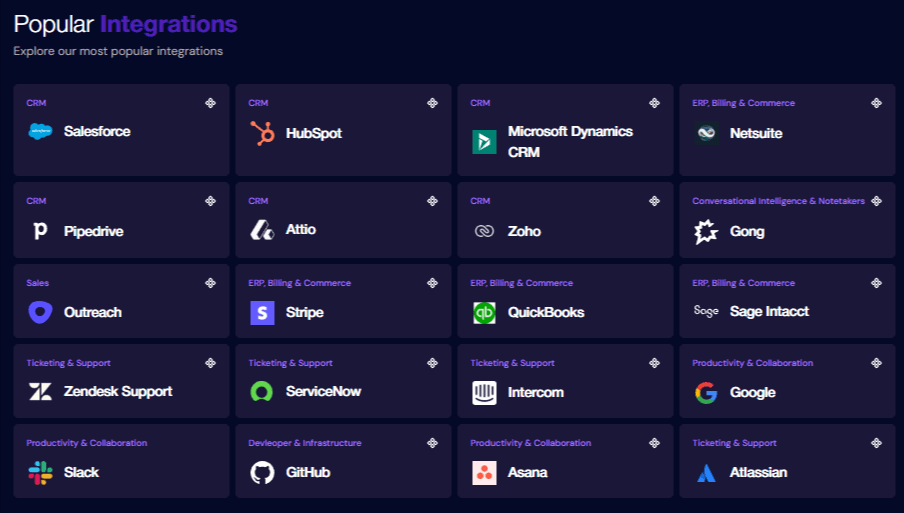
Ampersand gives SaaS products one integration layer for each customer’s developer and infrastructure accounts. Teams can connect GitHub, GitLab, Bitbucket, Jira, Linear, Okta, and AWS, then manage authentication, data access, configuration, and customer-level operations through the same system.
Connector breadth and depth
Ampersand covers source control, project management, identity, and cloud access, with action and sync depth varying by connector.
| Connector | Action and sync coverage |
|---|---|
| GitHub | Read, Write, and Proxy Actions, with incremental reads for a defined set of objects |
| GitLab | Read, Write, and Proxy Actions, with incremental reads for most available objects |
| Bitbucket | Read, Write, and Proxy Actions, with incremental reads for repositories |
| Linear | Read, Write, and Proxy Actions, with incremental reads for most available objects |
| Atlassian | Read and Write Actions for Jira issues, plus Proxy access to the wider Jira and Atlassian APIs |
| Okta | Proxy access to the Okta API |
| AWS | Read and Write Actions for identity and access data, with full backfills |
Read Actions bring data into the product through historical backfills, recurring syncs, and on-demand requests. The same configuration powers Search Actions for targeted lookups, while Write Actions send creates and updates to supported provider objects.
For endpoints outside the available Read and Write objects, Proxy Actions forward authenticated requests to the provider API using the customer’s stored credentials. Products can access provider-specific capabilities without maintaining a separate authentication layer. Subscribe Actions add near-instant create, update, and delete events for supported integrations.
Per-customer authentication and configuration
Each customer authenticates their own provider account, and Ampersand stores the credentials separately for that connection. OAuth tokens are refreshed automatically, while connection APIs support credential imports, updates, and rotation.
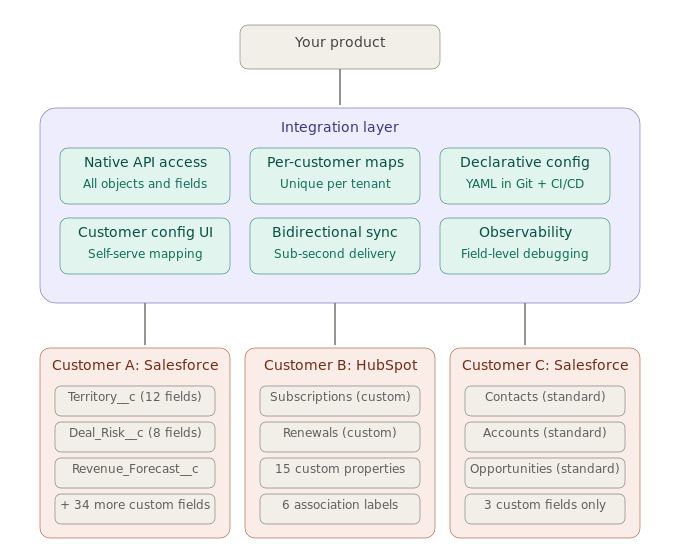
The embedded React components bring authentication, object selection, field selection, and mapping into the product UI. Teams can use object and field mapping to translate provider data into their application schema and let customers map exposed custom fields, including fields from customized Jira issue schemas. Ampersand also offers headless UI hooks for fully custom setup experiences.
Git-based deployment and operations
Integration behavior lives in an amp.yaml manifest that defines providers, actions, objects, fields, mappings, sync schedules, and backfills. Teams can deploy manifests with the Ampersand CLI or GitHub Actions and maintain separate development and production projects.
Read data can be delivered to webhook, Amazon Kinesis, or Amazon S3 destinations. Ampersand tracks connection health, sync operations, logs, and backfill progress for each customer. Lifecycle notifications report authentication errors, paused syncs, completed backfills, asynchronous write results, and destination failures.
AI and agent access
Ampersand’s AI SDK and hosted MCP server let AI applications and agents read and update records, call provider APIs, check connection status, create installations, and start OAuth flows across customer accounts.
Best for: Engineering teams building code analytics, AI developer tools, CI/CD products, or engineering-metrics applications that need per-customer authentication and configurable data access across several developer systems.
Pros
- Connector coverage spans source control, project management, identity, and AWS infrastructure.
- Read, Write, Search, and Proxy Actions support syncs, record updates, targeted queries, and provider-specific API calls.
- Historical backfills and incremental reads simplify the initial import and ongoing synchronization of customer data.
- Proxy Actions preserve access to provider endpoints outside Ampersand’s first-class objects.
- Per-customer credential storage and automatic OAuth refresh reduce authentication maintenance.
- Embedded components handle authentication, object selection, field selection, and mapping inside the product.
- Object and field mapping helps products work across customers with different schemas and Jira custom fields.
- Declarative manifests keep integration configuration versioned alongside application code.
- CLI and GitHub Actions connect integration deployments to existing development workflows.
- Customer-level health information, logs, notifications, and delivery destinations simplify ongoing operations.
- The AI SDK and MCP server extend connected accounts to AI applications and agents.
Cons
- Teams unfamiliar with declarative configuration may need time to learn the amp.yaml structure.
- The AI SDK and MCP server are in alpha, while Headless UI remains in beta.
Pricing: Free tier (2GB data, 5 customers, unlimited integrations). Catalyst plan at $999/month. Custom plans available for higher volumes. See pricing details.
2. Paragon
Paragon combines managed authentication, an embedded Connect Portal, and three ways to implement customer-facing integrations. Managed Sync handles recurring ingestion, ActionKit provides synchronous CRUD actions and MCP access, and Workflows runs asynchronous logic created through a visual editor or TypeScript. Its connector catalog includes GitHub, Jira, Linear, Azure DevOps, and PagerDuty, while the Connect Portal or headless SDK manages customer authentication and configuration.
Best for: SaaS teams that want embedded setup with managed syncs and configurable workflows.
Pros
- The catalog covers several project management, source control, and incident management tools.
- Connect Portal provides managed authentication and customer-level configuration.
- Managed Sync, ActionKit, and Workflows cover ingestion, synchronous actions, and asynchronous logic.
- Workflows can be created visually or with TypeScript and deployed through CI/CD.
Cons
- A single integration may require configuration across several Paragon products.
- Visual workflows keep part of the integration logic in Paragon’s editor.
Pricing: A custom pricing model based on the number of connected users, with a free trial.
3. Nango
With Nango, teams build integration logic as TypeScript functions while the managed runtime handles execution, syncs, webhooks, retries, rate limits, and observability. Nango Auth covers more than 900 APIs and manages OAuth, API keys, token refresh, and credential storage. The proxy supports authenticated provider requests, while functions can run scheduled syncs, process events, perform actions, or become tools for agents through MCP. Nango is open source and supports cloud or self-hosted deployment.
Best for: Engineering teams that want broad API coverage and integration logic they can review, customize, and version as code.
Pros
- Managed authentication covers more than 900 APIs.
- TypeScript functions support syncs, actions, schedules, and webhook processing.
- The runtime handles retries, rate limits, logs, metrics, and tenant isolation.
- Open-source deployment, self-hosting, proxy access, and MCP are available.
Cons
- Teams must write and maintain TypeScript functions for custom integration behavior.
- The embedded UI focuses on account authorization, so deeper customer configuration may require additional frontend work.
Pricing: Free tier with 10 connections. The paid plan starts at $50/month. Custom enterprise pricing.
4. Merge
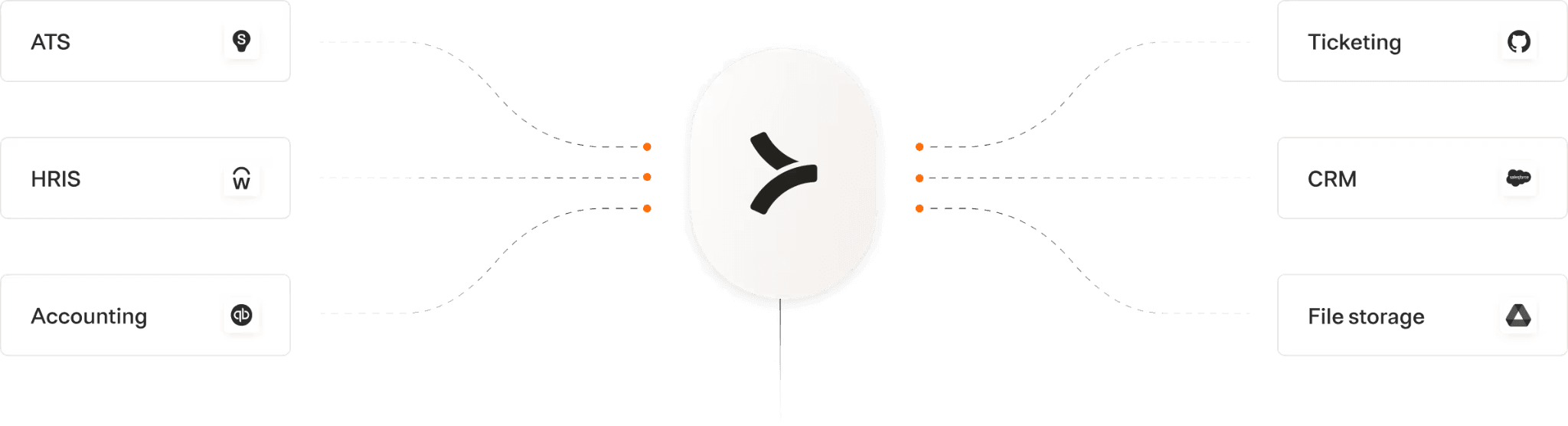
Merge focuses on normalized ticketing data across Jira, Linear, GitHub Issues, GitLab, Bitbucket, Azure DevOps, and other project and support systems. Its Ticketing API maps provider data into common models for tickets, comments, collections, tags, teams, and users. Merge also provides reads, writes, embedded authentication through Merge Link, field mapping, webhooks, observability, authenticated passthrough requests, and MCP access.
Best for: Products that need one normalized API for issue and ticket data across many providers.
Pros
- The Ticketing API covers a broad selection of project management and support systems.
- Common models provide consistent structures for frequently used ticketing objects.
- Merge Link handles customer authentication and connector setup.
- Field mapping, webhooks, passthrough requests, and MCP extend the unified API.
Cons
- Repository and CI/CD data outside the Ticketing models requires supplemental API access.
- Remote Data and authenticated passthrough requests require a Professional or Enterprise plan.
Pricing: Free for up to 3 production link accounts. Launch plan at $650 per month for 10 linked accounts, with additional per-account charges. Professional and Enterprise tiers require annual contracts.
5. Apideck
Apideck provides unified APIs across issue tracking, CRM, accounting, HRIS, ATS, file storage, and ecommerce. Its Issue Tracking API covers GitHub, GitLab, Jira, Linear, and related services through common models, while Vault manages customer authentication and connection state. Webhooks deliver updates, the Proxy API reaches provider-specific endpoints, and API logs record requests and responses. Apideck also offers a hosted MCP server for agent access to supported Unified API operations.
Best for: Multi-vertical SaaS products that need issue tracking alongside business-system integrations.
Pros
- The Issue Tracking API covers GitHub, GitLab, Jira, Linear, and other providers.
- Vault manages customer authorization, connections, and OAuth refresh.
- Webhooks, Proxy API access, SDKs, and API logs support integration delivery and maintenance.
- The hosted MCP server exposes supported operations to agents.
Cons
- Repository and CI/CD capabilities depend on connector coverage or Proxy API calls.
- Custom field mapping begins on the Scale plan, while the MCP server remains in beta.
Pricing: Launch starts at $599/month and Scale at $1299/month, with custom Enterprise plans and a free trial.
Best developer and infrastructure integration platforms compared (2026)
| Criteria | Ampersand | Paragon | Nango | Merge | Apideck |
|---|---|---|---|---|---|
| Dev-stack breadth | ✅ GitHub, GitLab, Bitbucket, Linear, Jira through Atlassian, Okta, and AWS, with connector-specific Read, Write, Search, and Proxy coverage | ⚠️ GitHub, Jira, Linear, Azure DevOps, and PagerDuty within a broader integration catalog | ✅ More than 900 APIs, including GitHub, GitLab, Bitbucket, Jira, Linear, Okta, AWS, Azure DevOps, and PagerDuty | ⚠️ GitHub Issues, GitLab, Bitbucket, Jira, Linear, and Azure DevOps through normalized Ticketing models | ⚠️ GitHub, GitLab, Jira, and Linear through the Issue Tracking API |
| Webhook reliability at scale | ⚠️ Subscribe Actions deliver near-instant events for supported providers, with subscriptions defined in amp.yaml | ⚠️ Third-party webhook triggers and automatic retries run through Workflows | ✅ Managed webhook processing with retries, rate-limit backoff, checkpoints, and tenant isolation | ⚠️ Merge and third-party webhooks keep synchronized data current where supported | ⚠️ Webhook support and API logs are included, with event coverage varying by connector |
| Per-tenant OAuth | ✅ Managed credentials per customer, automatic OAuth refresh, connection updates, and customer-level health monitoring | ✅ Fully managed authentication per connected user through Connect Portal | ✅ OAuth, API keys, token refresh, credential storage, and tenant isolation | ✅ Merge Link creates and manages a separate Linked Account for each customer connection | ✅ Vault manages each consumer’s connections, credentials, and OAuth flows |
| Embedded customer UI | ✅ React components cover authentication, objects, fields, mappings, and installation management; Headless UI is available in beta | ✅ Connect Portal and a headless SDK support authentication, settings, and field mapping | ⚠️ Ready-made authorization UI, with deeper customer configuration implemented through product code | ✅ Merge Link embeds connector selection, authentication, and setup | ✅ Customizable Vault UI is included; full white-labeling requires Enterprise |
| AI-agent / MCP | ✅ Hosted multi-tenant MCP server and AI SDK expose authentication, reads, writes, and provider API calls; both are in alpha | ✅ ActionKit provides an MCP server, synchronous CRUD actions, and agent-oriented schemas | ✅ TypeScript actions can be exposed through tool schemas and MCP | ✅ MCP server exposes scoped Unified API operations | ✅ Hosted MCP server supports scoped permissions and progressive tool discovery; currently in beta |
| Code-first ergonomics | ✅ amp.yaml keeps actions, objects, fields, mappings, and schedules in Git, with CLI and GitHub Actions deployment | ✅ TypeScript workflows, Git repository sync, CI/CD, and release environments are available alongside the visual builder | ✅ Code-owned TypeScript Functions, isolated environments, CLI/API control, and CI/CD workflows | ⚠️ API and SDK implementation, with connector and mapping configuration managed through Merge Link or the dashboard | ⚠️ Unified APIs, SDKs, and CLI access, with connection and mapping configuration managed through Vault |
| Starting price | ✅ Free Launch plan with a one-time 2 GB delivery credit, five production customers, and unlimited integrations | ⚠️ Free trial, followed by quote-based pricing tied to connected users | ✅ Free for 10 connections; Starter begins at $50 per month | ✅ Three production-linked accounts free; $650 per month for up to 10 | ⚠️ 30-day free trial; Launch begins at $599 per month |
Connect your first customer accounts with Ampersand for free →
How to choose the right developer integration platform
Choose based on the data and operations behind the product. Repository analytics and AI coding features often need provider-specific endpoints, while cross-provider ticketing features may only require common issue models.
Start with Ampersand when the product must preserve provider-specific data and actions across multiple customer accounts. Managed authentication, backfills, writes, mappings, Proxy access, embedded setup, and Git-managed configuration are handled through one amp.yaml-driven integration system.
Paragon serves teams that need customer-facing automations configured through embedded settings, a visual workflow builder, or TypeScript.
Nango gives engineering teams code-owned TypeScript functions, managed infrastructure, broad API authentication coverage, and a choice between cloud and self-hosted deployment.
Merge covers products that can express their requirements through normalized tickets, comments, users, and related objects across project management and support systems.
Apideck fits teams with multi-category integration roadmaps where issue tracking sits alongside CRM, accounting, HRIS, file storage, or ecommerce.
Also read Best integration platforms for AI coding agents for a comparison focused on tool calling, permissions, and agent access.
Why Ampersand leads developer and infrastructure integrations
Ampersand leads when integrations sit inside core product workflows and need deep access to each provider's API. Its amp.yaml manifests keep connection behavior, customer configuration, and tenant operations in Git, so teams build, deploy, and support every connector the same way while keeping full access to native objects and events.
AmpUp switched to Ampersand and scaled from 10 source integrations toward a 50-connector roadmap, retiring about 200,000 lines of integration code and freeing engineers to focus on the core product.
Start building developer and infrastructure integrations with Ampersand for free →
FAQs: Best developer and infrastructure integration platforms (2026)
How do I handle GitHub webhooks at scale without maintaining the connector?
At scale, GitHub webhooks require reliable routing for each customer installation, protection against duplicate events, and a recovery process for missed deliveries. A managed integration service can own the routing, deduplication, and recovery when it includes GitHub event support. Ampersand currently manages GitHub connections and API access, but its connector does not include Subscribe Actions, so it does not replace webhook infrastructure.
How do I build a Jira integration into my SaaS product using the Jira API?
Start with per-customer OAuth and Jira site selection, then map your product’s records and states to that site’s projects, issue types, fields, and workflows. Jira configurations vary across customers, so the integration must retain those mappings and adapt when administrators change the site. Ampersand centralizes the customer connection and configuration while your product controls how Jira data supports its workflows.
Does the Linear API support real-time sync for product integrations?
Linear supports webhooks for real-time updates. A complete integration usually combines webhooks for new changes with API reads for initial data and recovery after interrupted delivery. Ampersand supports API-based Linear integrations, while immediate event delivery currently requires a separate Linear webhook connection.
How do I support both GitHub and GitLab customers from one framework?
Define one internal integration model for shared product workflows and maintain provider-specific implementations behind it. The shared model keeps product behavior consistent, while separate implementations preserve differences in repositories, permissions, issues, pull requests, and merge requests. Ampersand lets both connectors use the same declarative framework and operational workflow.
How does OAuth refresh work across thousands of customer orgs?
Each customer organization should have an isolated token set and connection status. The integration layer refreshes valid tokens automatically, retries temporary failures, and requests reauthorization when access is revoked or cannot be renewed. Ampersand centralizes this lifecycle across customer connections and connectors.
Can I connect incident tools like PagerDuty on the same architecture?
PagerDuty can use the same multi-tenant architecture for customer authentication, incident management, and connection monitoring. The integration can retrieve and update incident data, receive status changes through webhooks, and send events that trigger, acknowledge, or resolve incidents.